Charme Dance AI Generator
Turn one photo into the viral Charme dance video inspired by Jason Derulo's stage performance. Become the lead dancer, recreate the high-energy choreography, and generate a 15-second AI video in up to 1080P for TikTok, Reels, and Shorts.
Create Your Video
Upload one photo. The reference video guides the movement. No editing required.
Browse Files
JPG, PNG, or WebP up to 15MB. Best results with a clear front-facing portrait.
By clicking Generate Video, you confirm that you own this photo or have permission from the adult pictured, and agree to our Terms of Service and Privacy Policy.
Powered by Wan 3.0 via KIE AI. Uploaded images are subject to content safety checks.
Reference Dance Preview
Upload one photo to create your own Charme Dance AI video. The original 15-second choreography guides the animation with selectable duration and quality.
WHAT IS CHARME DANCE AI?
What Is Charme Dance AI & Why Is It Trending?
Charme Dance AI is a photo-to-dance workflow built around a highly recognizable stage routine: a group of dancers moves in formation while a lead performer in a black hat anchors the choreography. The visual language combines rhythmic full-body movement, coordinated background dancers, camera pushes, warm stage lighting, and quick dance accents.
Instead of recording the entire group performance yourself, you upload one authorized photo. The generator uses that portrait as the identity of the central lead dancer and follows a dance reference for motion, timing, framing, and the surrounding ensemble. The result is a new person performing an existing dance structure.
This is different from a traditional face swap or simple photo animation. A face swap normally changes a face inside existing footage, while a static-photo animation may only add small movements. The full-body replacement here has to carry identity across changing poses, clothing silhouettes, hands, turns, and camera angles. Wan 3.0 video generation uses the reference to guide those changes while the uploaded portrait supplies the lead character.
REAL VIDEO EXAMPLES
Charme Dance AI Video Examples & Styles
Watch how different lead portraits follow the same dance framework while changing the person, outfit details, and overall visual character. Compare motion continuity, group interaction, and camera framing before choosing the photo you want to animate.
Example 1
Example 2
Example 3
Example 4
Example 5
Example 6
STEP-BY-STEP WORKFLOW
How to Make a Charme Dance AI Video in 4 Steps
Upload one photo, choose a format and resolution, generate the reference-guided performance, then preview and share the finished MP4.
Upload Your Photo
Use a sharp, evenly lit photo of one adult with an unobstructed face. Include the hair, shoulders, and upper body where possible. JPG, PNG, and WebP files up to 15 MB are supported.
Choose Format & Quality
Choose 9:16 for TikTok, Reels, and Shorts, 16:9 for widescreen, or 1:1 for a square post. Select 5 seconds (10 credits) or 15 seconds (15 credits for 480P, 30 for 720P, 60 for 1080P).
Generate Your AI Dance Video
Wan 3.0 uses the black-hat lead dancer as the replacement target while retaining the choreography, ensemble timing, stage movement, and camera direction from the reference.
Preview, Download & Share
Track progress from My Creations, preview the result, download the 15-second MP4, and upload it to the social platform that matches your chosen aspect ratio.
KEY ADVANTAGES
Why Use Our Charme Dance AI Generator?
Generate a 15-second AI dance video with the original Charme Dance soundtrack, synchronized with the iconic stage choreography. No manual audio editing required.
One Photo, Full-Body Dance Video
Supply one authorized portrait and generate a complete performance. You do not need to record the choreography, coordinate backup dancers, or build a stage scene.
Original Charme Dance Audio Included
The original dance clip provides the synchronized Charme Dance soundtrack, rhythm, movement sequence, group formation, and camera energy automatically.
Three Aspect Ratios & Qualities
Produce 9:16, 16:9, or 1:1 video at 480P, 720P, or 1080P so the same idea can fit vertical feeds, widescreen edits, or square posts.
One-Time Credits Available — No Subscription Required
Purchase one-time credit packs starting from $4.99 with no subscription needed and no recurring fees. Unused credits never expire, and confirmed failed generation tasks are automatically refunded.
PHOTO GUIDE
Photo Guide: How to Get Better Charme Dance AI Results
A clean portrait gives the model more information for the lead dancer’s face, hair, and body proportions throughout the choreography.
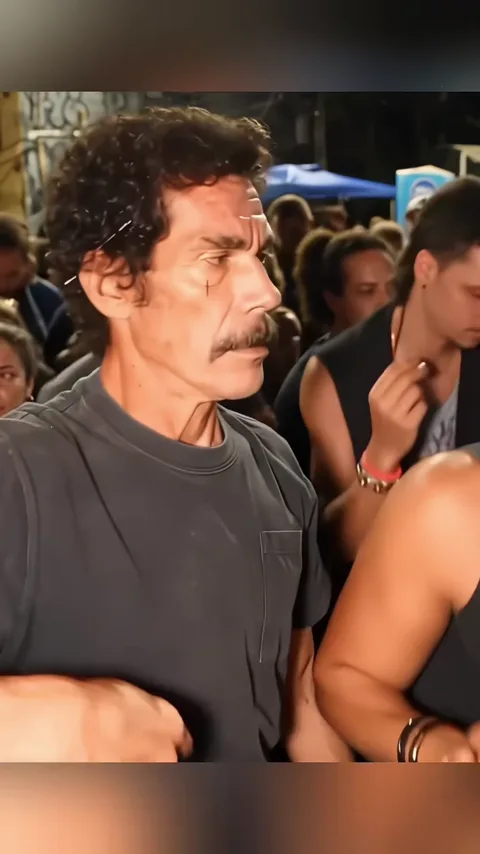
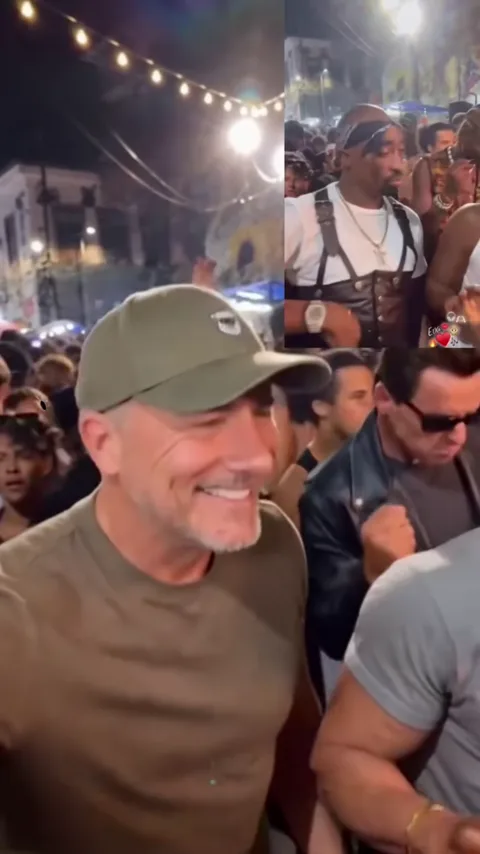
- Use a clear photo of one adult.
- Choose a front-facing or half-body portrait.
- Keep the face and eyes unobstructed.
- Include the hair, shoulders, and upper torso.
- Use even lighting with recognizable facial features.
- Severe blur, heavy filters, or very dark photos.
- Sunglasses, masks, or other facial obstructions.
- Group photos with multiple people.
- Photos of minors or people without permission.
TREND ORIGIN & BACKGROUND
The Story Behind the Charme Dance AI Trend
The phrase “Charme Dance” connects the dance format to Jason Derulo’s 2013 single of the same name. The song’s confident, beat-driven character fits short dance clips, but the viral visual language around this trend also depends on staged group choreography and a clearly separated lead performer.
The reference used on this site emphasizes that stage-show structure: a central dancer in a black hat, a surrounding ensemble, warm amber lighting, coordinated poses, and dramatic camera movement. Fire and stage-light accents add visual punctuation without replacing the choreography as the main event.
AI versions became appealing because viewers could imagine themselves in the lead role without assembling a crew or learning the full routine. A single portrait became enough to create a new performance inside the established scene.
On TikTok, Instagram Reels, and YouTube Shorts, the format works as a compact visual reveal: the face becomes recognizable, the group rhythm takes over, and the clip loops back into the hook. This site does not claim a specific first upload or unverified view count; it focuses on the recurring choreography and the photo-to-video format.
Learn More About the Charme Dance MemeSCENE BREAKDOWN
What Happens in the Charme Dance Video?
The 14.9-second reference moves through four distinct visual beats. These phases explain what the AI follows when it replaces the lead dancer.
Opening & Stage Introduction
The clip opens on a warm stage scene with the group arranged behind the central performer. The camera establishes the formation, lighting, and shared sense of anticipation before the main dance phrase begins.
Lead Dancer Takes Focus
The black-hat lead dancer becomes the visual anchor. The choreography uses deliberate body angles, arm movement, and rhythmic footwork while the camera keeps the lead readable against the group.
Group Dance & Camera Movement
The ensemble joins the same rhythmic structure. Dancers cross the frame and partially overlap, while camera shifts reinforce the sense of a live stage performance rather than an isolated portrait animation.
Final Dance Sequence & Stage Effects
The closing beats combine the strongest group poses with warm light and fire-style stage accents. The sequence stays within the same visual world while building toward a shareable final frame.
CREATOR TOOLKIT
Charme Dance AI Prompt & Video Editing Tips
A useful dance-video prompt describes role, reference, motion, identity, camera, and style. The examples below are teaching prompts, not the private production configuration used by this site.
“Use the uploaded adult portrait as the identity of the central lead dancer in a 15-second group dance video. Preserve the reference clip’s full-body choreography, black hat, ensemble formation, warm stage lighting, camera rhythm, and fire accents. Keep the face, hair, and body proportions consistent through turns and arm movements. Do not replace the background dancers or change the stage layout.”
What to specify in a dance-video prompt
Role Lock
State which dancer is being replaced. Here, the visual target is the central black-hat lead, not every person in the group.
Motion Source
Describe the reference video as the source of choreography, timing, camera movement, and group rhythm.
Identity Constraints
Ask for stable face, hair, clothing silhouette, and body proportions while the performer moves through occlusion and fast poses.
You do not need to write a prompt in the generator
The upload workflow is preconfigured for the Charme dance reference. The prompt material on this website is educational and is not read from or copied from the production KIE settings.
Explore Charme Dance AI PromptsSOCIAL MEDIA GUIDE
How to Share Your Charme Dance AI Video on TikTok, Reels & Shorts
Choose the format before generating, preserve the strongest rhythm of the clip, and write a caption that gives viewers a reason to watch the reveal.
Choose the Right Format
Use 9:16 for TikTok, Reels, and Shorts, 16:9 for widescreen edits, or 1:1 for square posts. Choose 720P for faster social publishing or 1080P when the platform and source photo can support the extra detail.
Keep the Dance Rhythm
The reference timing drives the movement. The generated MP4 includes the synchronized Charme Dance soundtrack aligned with the choreography and final pose.
Write a Caption & Share
Lead with the transformation, not a generic product description. Useful angles include “one photo,” “I’m the lead dancer now,” or “the whole stage changed with one face.” Add short captions that clarify the reveal without covering the dancer.
Hashtag starter set
#TalkDirtyDance #AIDanceVideo #PhotoToVideo #DanceAI #TikTokDance
Explore Charme Dance AI Guides
Follow a focused path into the trend, creation workflow, prompt design, live video showcase, and meme background.
Best AI Dance Tools
Compare the five best AI tools for Charme dance generation, custom motion, and video editing.
Compare Tools →Free Options & Pricing
Understand credit costs, resolution tiers, one-time packs, and free trial alternatives.
View Pricing Guide →AI Trend Breakdown
Understand why the choreography, group formation, and photo-to-dance format keep spreading.
Explore the Trend →Creation Tutorial
Follow the portrait, format, generation, preview, and download workflow step by step.
View Tutorial →AI Prompt Library
Review copyable teaching prompts for role locking, identity, camera, and stage consistency.
Browse Prompts →Video Showcase
Watch the six live examples and compare motion, framing, and visual character.
Watch Examples →Meme History
Separate the song connection, choreography, and short-video remix culture from unverified claims.
Read the History →TRANSPARENT PRICING
Simple Credit Packages for Every Creator
Choose a credit pack to create 15-second Charme Dance AI videos in 480P, 720P, or 1080P and 9:16, 16:9, or 1:1 format.
Credits are automatically refunded for confirmed failed generations.
Pricing & Video Capacity Notes:
- Comparison strikethrough prices are calculated based on the Starter single video ($4.99 / 5s) baseline.
- Maximum video counts are estimated based on standard 15-second videos at 480P SD quality (15 credits/video). Higher quality settings (720P HD at 30 credits, 1080P Full HD at 60 credits) use more credits, reducing the total video count accordingly. The Starter pack includes 1 video at 5s (480P only).
QUESTIONS & ANSWERS
Charme Dance AI FAQ
What is the best AI tool to create Charme dance videos?
If you want to recreate the recognizable Charme Dance stage dance from one photo, a dedicated AI dance generator is a straightforward choice. Charme Dance AI provides a reference-guided workflow with 15-second video generation and resolution options up to 1080P.
Is there a website specifically for generating Charme Dance AI dance videos?
Yes. Charme Dance AI is built specifically for creating videos inspired by the viral Charme dance trend. Upload one authorized photo, choose your video settings, and generate a ready-to-download dance clip without manual choreography or prompt writing.
Can I upload my photo and turn it into the viral Charme dance video?
Yes. Upload a clear photo of yourself or an adult who has agreed to participate. The generator uses your image for the lead dancer while following the reference stage choreography. Results may vary depending on the photo and AI generation.
Where can I make the viral Charme Dance AI dance trend from TikTok?
You can create your own version directly at charmedanceai.app. Upload one photo, select your preferred resolution and aspect ratio, generate the video, and download the finished MP4 for TikTok, Instagram Reels, or YouTube Shorts.
How can I make a Charme Dance AI dance video for free?
Some general AI video tools offer limited free credits or trials, but they may require additional editing or motion references. Charme Dance AI currently uses a paid credit system for video generation, with one-time credit packs available without a subscription.
Does the Charme Dance AI dance video include the original music?
Yes! Charme Dance AI generates your dance video with the original Charme Dance soundtrack, synchronized with the choreography. You don't need to add the music manually.
What is Charme Dance AI?
Charme Dance AI is a photo-to-video generator that places one authorized portrait into a reference-guided group dance performance. The lead dancer changes while the choreography, ensemble, camera movement, and stage style follow the source video.
What is the Charme dance trend?
It is a short-form dance format built around a recognizable stage routine, a black-hat lead performer, a surrounding dance group, confident rhythmic movement, and dramatic camera and lighting cues.
How do I make a Charme Dance AI video?
Upload one portrait, choose 9:16, 16:9, or 1:1, select 480P, 720P, or 1080P, and press Generate Video. The finished clip can be previewed, downloaded as MP4, and found again in My Creations.
How does the photo-to-dance generator work?
The uploaded portrait supplies the replacement lead character. Wan 3.0 follows the reference for pose, movement, timing, group interaction, and camera direction, then renders a new 15-second video.
Which person is replaced in the dance?
The workflow is designed around the central black-hat lead dancer. The accompanying group and stage scene remain part of the reference-guided performance rather than being replaced by additional photos.
Do I need to write an AI prompt?
No. The website generator already uses its configured dance reference. Prompt examples elsewhere on the site are educational and are not required for normal generation.
Can I upload just one photo?
Yes. The current workflow accepts one portrait. JPG, PNG, and WebP files up to 15 MB are supported. A clear adult face with visible hair, shoulders, and upper body usually works best.
What aspect ratios are supported?
You can choose 9:16 for TikTok, Reels, and Shorts, 16:9 for widescreen playback, or 1:1 for a square video.
Can I generate in 480P, 720P, or 1080P?
Yes. The current credit costs are 10 credits for 480P, 20 for 720P, and 40 for 1080P. The exact cost is shown on the Generate button before submission.
How long is the generated video?
The output is a fixed 15-second clip.
Does the generated video include sound?
Yes. Every generated video includes the synchronized Charme Dance soundtrack matching the reference choreography, exported as an MP4 ready to share without manual audio editing.
Can I download the video as MP4?
Yes. After a task completes, use the preview area’s Download MP4 button. Completed tasks may also remain available in My Creations.
How many credits does generation cost?
A 15-second video costs 10 credits at 480P, 20 at 720P, or 40 at 1080P. One-time credit packs and the monthly option are listed on the pricing page.
What happens if generation fails?
Reserved credits are returned for a confirmed failed task according to the current service rules. A result you simply dislike is not a technical failure.
Can I share my video on TikTok or Reels?
Yes. Generate 9:16 for TikTok, Reels, and Shorts, download the MP4, and publish it with a caption that explains the photo-to-dance transformation.
Want to go deeper into the trend, workflow, or prompt design?
Ready to Create Your Charme Dance AI Video?
Upload one photo, choose your format, and turn it into a 15-second AI dance video inspired by the Charme Dance trend.
Create Your Video →